
Project Notes / Project Summary
A lockbox import should validate before it posts
A public-safe walkthrough of a SyteLine lockbox import pattern: parse the bank file, stage the rows, validate every risk, then post only after review.
The business problem
Lockbox automation can save finance teams a lot of manual payment entry, but it also sits close to cash, customers, invoices, and posting risk. If the import jumps straight from bank file to ERP posting, small data issues can become accounting clean-up work.
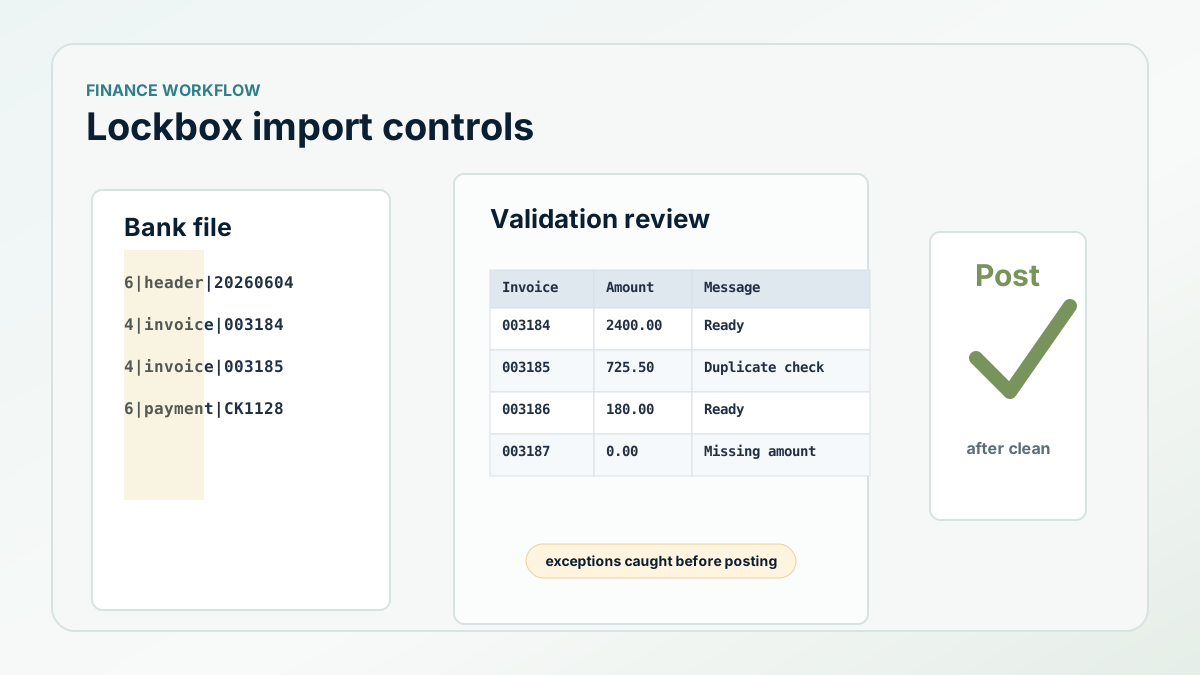
The safer pattern is to treat the bank file as input to a controlled workflow: parse first, stage second, validate third, and post only when the review table is clean.
How we solved it
The import procedure bulk-loaded the bank file into a temporary table, parsed the relevant record types, and translated fixed-position values into check amount, check number, check date, payer name, site, invoice number, and invoice amount fields. Numeric and date fields were converted during staging, so bad values surfaced before posting.
After parsing, the workflow enriched the staged rows from SyteLine. It expanded invoice numbers into the ERP format, looked up the customer from open AR transactions, found the bank code from the customer record, and recalculated invoice amount from the AR transaction. That made the staged record reviewable instead of blindly trusting the inbound file.
What the implementation looked like
Posting was protected by a second validation procedure. It cleared old messages, then wrote human-readable messages back to the staging table for every condition that could block posting: missing check number, duplicate invoice rows, invoice not found, customer not found, zero invoice amount, check amount not matching invoice totals, invalid bank code, duplicate AR payment records, and duplicate payment detail records.
That matters because finance users need to see what is wrong before posting. A failed background job is not enough. The review table should explain which row needs attention and why.
- Bulk-load the bank file into a temporary table.
- Parse payment and invoice rows into structured staging data.
- Enrich staged rows from AR and customer records.
- Write validation messages back to the review table.
- Block posting when duplicates, missing records, or mismatched totals exist.
The ROI to measure
The value is reduced manual payment entry with stronger posting control. Measure time from file receipt to validated posting, number of exceptions caught before posting, duplicate payment prevention, and support time spent explaining import failures.
Next step
Need better controls around financial imports?
Business Intuition can help define the validation, posting, and exception review path before automating the handoff.