
AI for ERP / How-To Guide
A practical way to use AI for SyteLine exception review
How to turn existing ERP reports, imports, posting checks, and support signals into a human-reviewed AI exception workflow.
The business problem
ERP teams already have exception work everywhere: shortage reports, lockbox validation messages, failed imports, posting errors, late orders, missing inventory, support tickets, and reports that only make sense after an expert explains them. The issue is not that people lack data. The issue is that the signal is scattered and the first review pass is repetitive.
This is where AI can help without pretending to run the business. The right first use case is not autonomous ERP updates. It is summarizing exceptions, preserving source context, and giving the human owner a cleaner review queue.
How to solve it safely
Start with workflows that already produce structured evidence. A shortage report has demand, supply, due dates, lateness, item, and operation context. A lockbox import has parsed rows, invoice matches, check totals, duplicate checks, missing customers, and validation messages. A posting job has success, failure, and business-owner context.
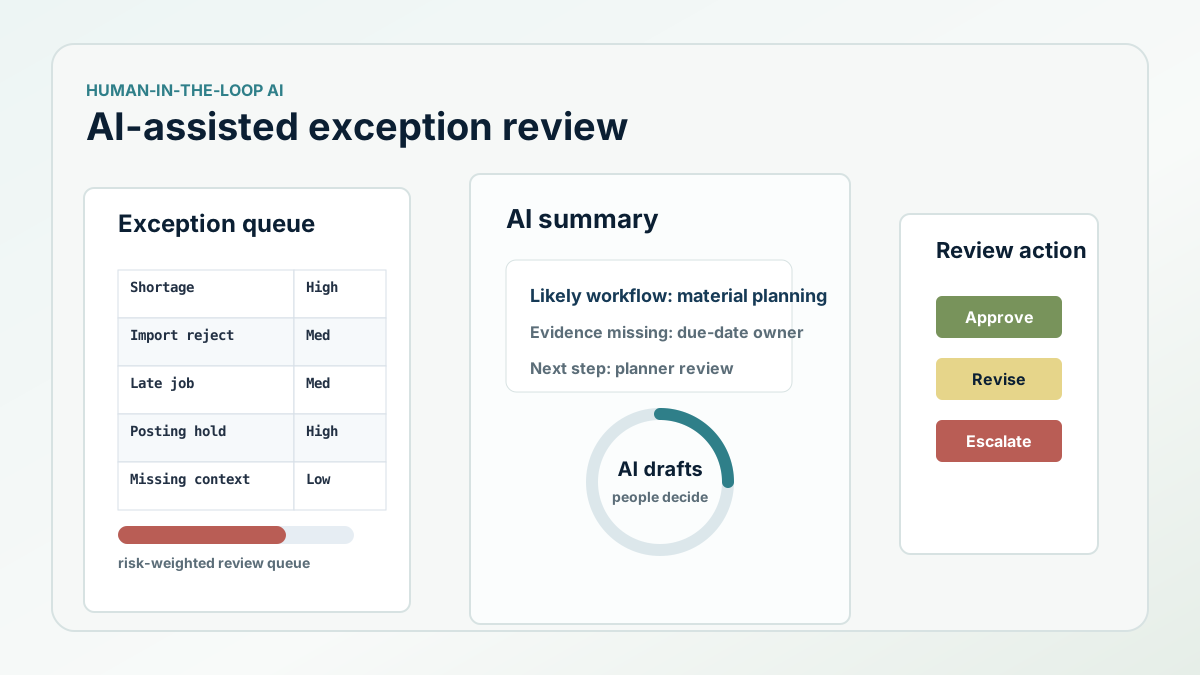
The AI workflow should read a controlled exception feed, not raw private project folders. It should summarize what happened, identify the likely workflow area, explain what evidence is missing, and recommend the next human review step. The user should see the source record references and decide what to do.
What the implementation should look like
The first build is usually a review queue. ERP reports or integration jobs write exception rows into a staging table or dashboard. A redaction layer removes customer names, private notes, credentials, screenshots, or proprietary details before AI sees the text. The AI model produces a short explanation, a confidence note, and a suggested action category.
The action is then routed to a person: operations, finance, IT, support, or leadership. Nothing updates ERP automatically. The system tracks whether the reviewer accepted the summary, changed the classification, requested more context, or rejected the recommendation. Those corrections become the memory that improves future triage.
- Feed AI from controlled exception records, not uncontrolled private files.
- Keep source context visible beside the AI summary.
- Require human approval before correction, customer communication, or publication.
- Track reviewer edits so the workflow improves over time.
- Measure review time, routing accuracy, and repeat issue reduction.
The ROI to measure
The ROI is not a vague claim that AI makes ERP smarter. The measurable value is faster exception review, fewer repeated support questions, shorter aging on unresolved issues, and better first-pass routing to the right owner. That is a practical AI project because it starts from real work people already perform.
Next step
Want a grounded AI for ERP starting point?
Pick one exception workflow, connect it to trusted ERP context, and keep a human in the decision path.